
Where to find Legiano Clash
Open Clash in Legiano’s main menu. Guide appears directly below it and explains earning Coins, starting Clashes and receiving rewards. The Clash activity is separate from the casino’s welcome offer; the Legiano Casino review covers that offer and payment details.
1. Earn Coins: check what qualifies
The guide lists deposits, casino and sports play, Clash battles and tournaments as Coin sources. The English explainer describes receiving 5% of a deposit as Coins and one Coin for €10 wagered in casino games. These are game resources, not a cash rebate. Check current eligibility, excluded games and the rate shown in your account before depositing or playing; the casino-play rate does not establish a sports-betting rate.

2. Start Clashes: understand the cards
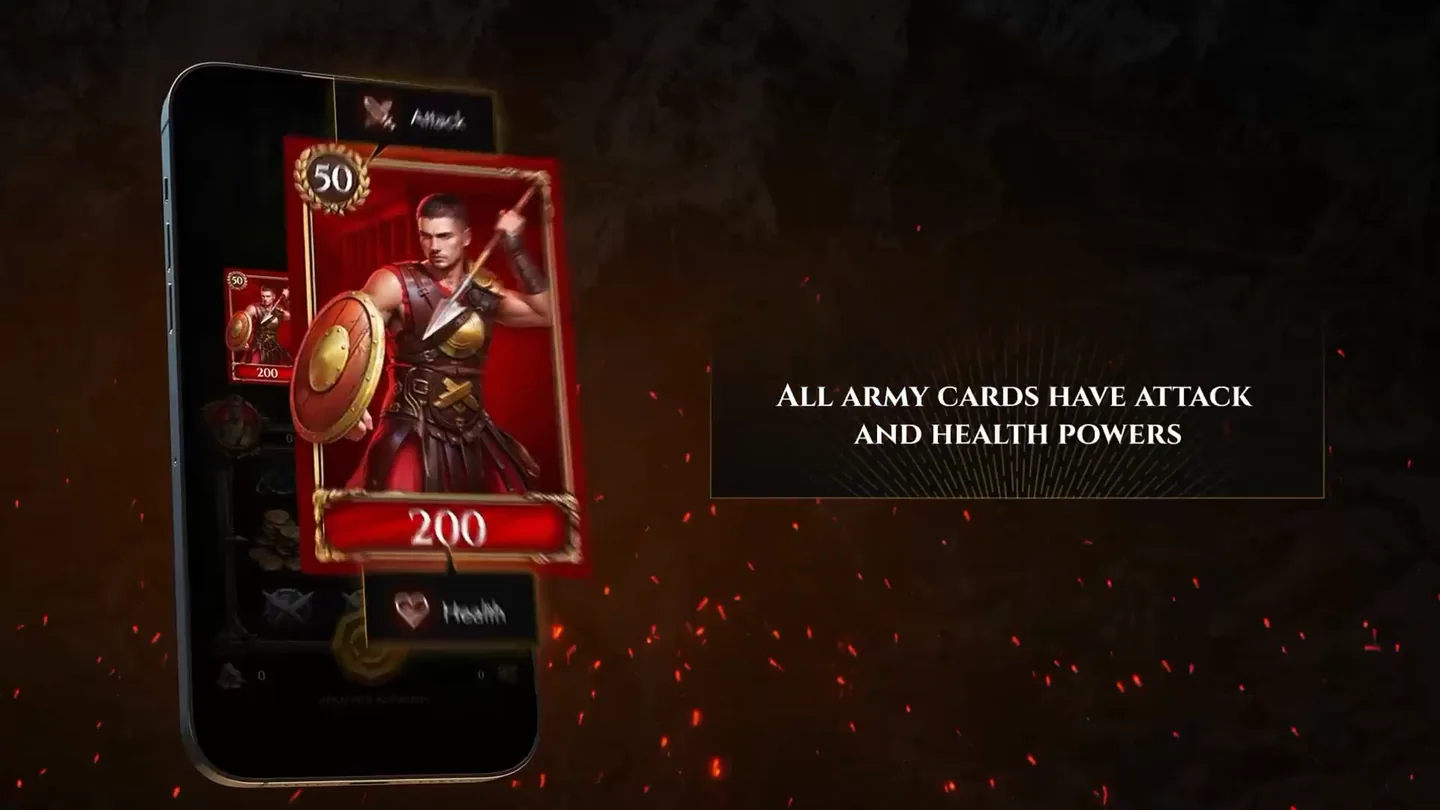
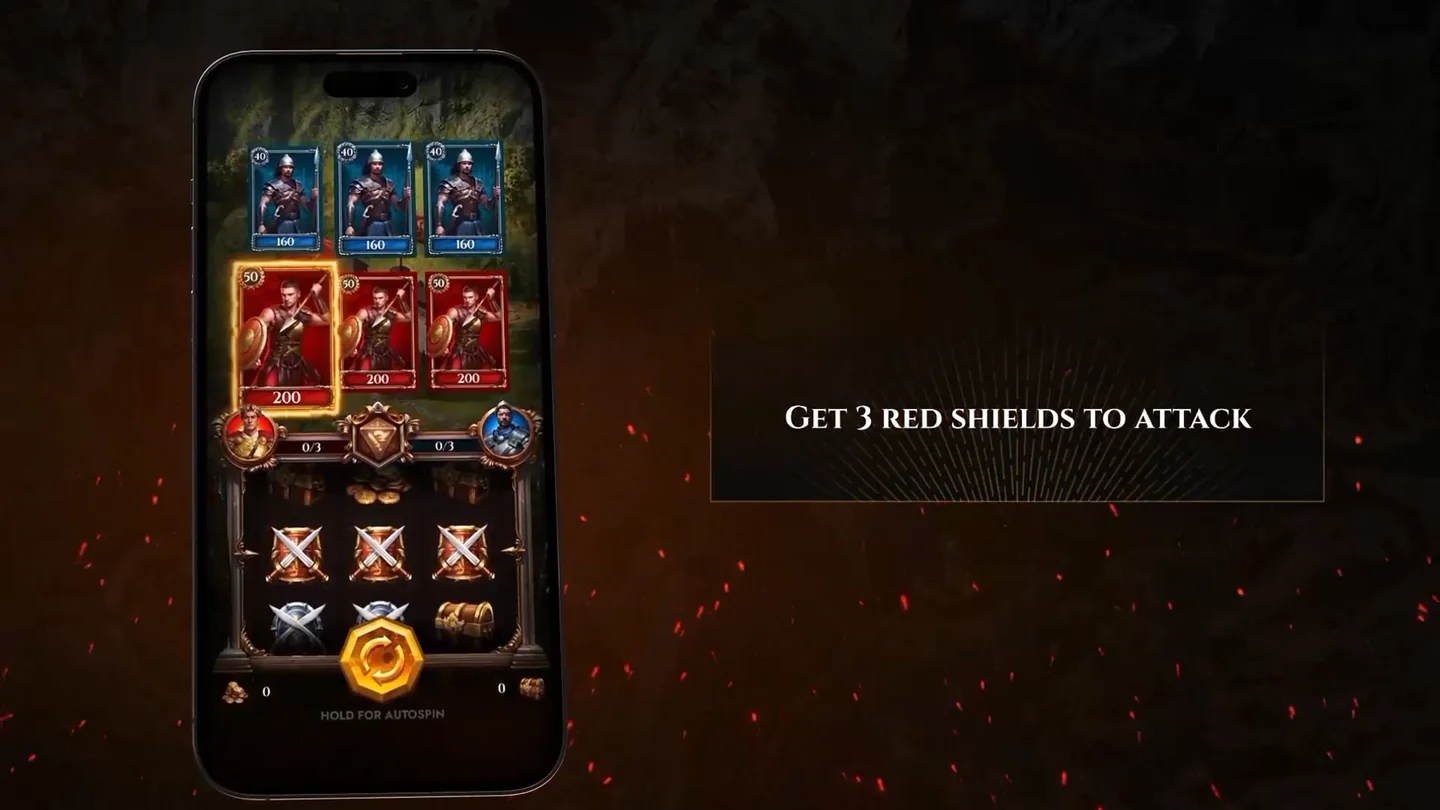
The explainer shows opposing red and blue army cards above a symbol grid. Each army card has Attack and Health values. Its example card displays 50 Attack and 200 Health; those values describe that card, not every card you can collect.
The attack example shows three red shields triggering an attack. The guide also has separate sections for defence, special attacks, chests and Coins. Read those rules before starting: this illustrated attack does not establish their damage multipliers or the odds of winning a battle.
3. Get rewards: identify the prize
The rewards guide separates Battlefields and Castles from Total Reward. Check the prize for the stage you are entering and open its terms before claiming. Internal Coins, game tokens, bonus credit and cash are not interchangeable. The explainer advertises up to €14,000; that headline is not a guaranteed prize for one battle or a promise of a withdrawable balance.
Clash, Bonus Crab and the welcome bonus
A reward inside Clash does not change the conditions of a separate welcome offer. If a reward is a Bonus Crab token, check what that token unlocks; if it is bonus credit or free spins, check wagering, expiry and any cash-out cap. The bonus-limit guide explains these differences. The bonus shop overview helps distinguish spending game resources from requesting a withdrawal.